
Tarmac Calculator UK: Asphalt Tonnes, Coverage and Driveway Cost
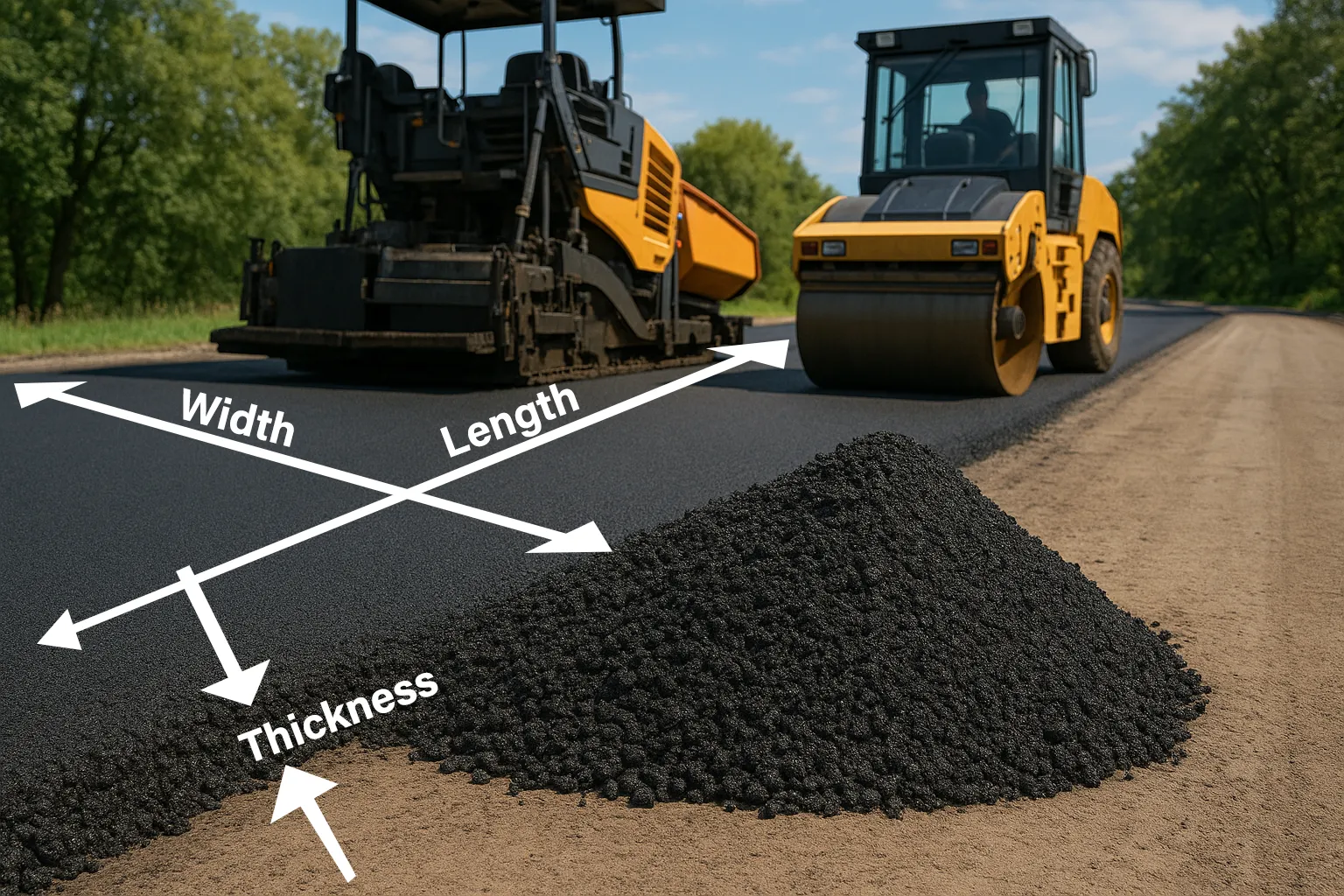
Pick a layer or enter your own depth and mix. This tarmac calculator then works out the area, volume, tonnes and coverage per tonne. It also shows the material cost per m² for driveways, paths and repairs.
More free UK building calculators
A good driveway starts below the surface. These calculators cover the sub-base, edging and walls around it.
MOT Type 1, ballast, sand and gravel in tonnes and bulk bags.

Cubic metres, bags, cement and ballast for slabs and footings.
Concrete, breeze and aircrete blocks, with mortar and cost.

Slabs, block paving, sub-base, bedding mortar and patio fall.

MOT Type 1 tonnes, bulk bags, layers and dig-out depth.

Sharp, building and kiln-dried sand, plus sand and cement mixes.

Bricks per m², mortar and cost for any wall.

Sand, cement and hydrated lime quantities for brickwork, blockwork and repointing.
Why tarmac quantities have to be right first time
Every surfacing crew dreads this moment. The roller is warm and the crew is ready. Then the last tonne of hot asphalt runs out, with a strip of driveway still bare.
Hot tarmac cannot wait for a second delivery. By the time more arrives, the edge has cooled, and the new mix will not bond properly. That cold joint is where cracks and potholes usually start.
Tarmac also comes in layers, each with its own mix and depth. A driveway might need a binder course and a surface course, ordered separately. So how much of each should you order?
How to avoid it: calculate each layer on its own, using its compacted depth. Then add about 5% for edges and joints, and order the whole layer in one delivery.
How many m² does a tonne of tarmac cover?
At 50 mm compacted, one tonne covers about 8.5 m². A 25 mm surface course stretches the same tonne to about 17.4 m².
How much does a tarmac driveway cost?
Most UK quotes fall between £45 and £100 per m². Overlaying an existing surface sits at the low end. A full dig-out with a new sub-base sits at the top.
How to use the tarmac calculator
The asphalt calculator handles one layer at a time, and each estimate takes less than a minute.
- Choose metric or imperial. Enter metres and millimetres, or feet and inches.
- Pick a layer. Presets fill in a typical UK mix and compacted depth for driveways, paths and repairs.
- Enter the length and width. Split awkward shapes into rectangles and add the results together.
- Check the depth and mix. Change either one, or enter your supplier’s density.
- Set the allowance. About 5% covers edges, joints and normal site losses.
- Add your price per tonne. The asphalt calculator then shows the material cost and the cost per m².
Tarmac calculator formula: m² to tonnes
Every asphalt estimate follows the same four steps. You need the area, the compacted depth and the mix density. The same method gives the tonnage and quantity for any layer.
Tarmac coverage and weight per m²
| Mix | Compacted depth | Weight per m² | One tonne covers |
|---|---|---|---|
| AC 6 surface | 20 mm | 46 kg | 21.7 m² |
| AC 6 surface | 25 mm | 57.5 kg | 17.4 m² |
| AC 10 surface | 40 mm | 94 kg | 10.6 m² |
| General asphalt | 50 mm | 117.5 kg | 8.5 m² |
| AC 20 binder | 60 mm | 143.4 kg | 7.0 m² |
| AC 32 base | 100 mm | 239 kg | 4.2 m² |
Before the allowance. Calculated with the tool on this page using its typical UK densities.
Tarmac calculator examples for UK projects
We ran each example through the calculator with a 5% allowance.
Case study 1: two-layer tarmac driveway
A 10 × 4.5 m driveway with 60 mm of AC 20 binder and 25 mm of AC 6 surface
Here is the surprise. Materials are a small part of the bill. The same driveway usually costs £2,000–£4,500 laid, because labour, plant and groundwork dominate.
Case study 2: garden footpath
A 15 × 1.2 m path with 50 mm of AC 20 binder and 20 mm of AC 6 surface
Case study 3: pothole and patch repair
A 2 × 1.5 m patch, 40 mm deep, using bagged cold-lay at 2,200 kg/m³
Cold-lay suits small repairs, but it never matches hot tarmac for strength. If the dip keeps returning, read our guide to why tarmac driveways sink before you patch again.
How thick should a tarmac driveway be?
Most UK domestic driveways use two layers on top of a compacted stone sub-base. These are typical compacted depths, but your specification always comes first.
| Use | Sub-base | Binder course | Surface course |
|---|---|---|---|
| Car driveway | 150 mm MOT Type 1 | 50–60 mm AC 20 | 20–30 mm AC 6 |
| Garden footpath | 100 mm MOT Type 1 | 50 mm AC 20 | 20 mm AC 6 |
| Overlay on sound tarmac | existing surface | regulating layer if needed | 25–40 mm AC 6 or AC 10 |
| Heavy vans or lorries | engineer to design | thicker base layers | engineer to design |
Typical domestic depths. Commercial and adopted roads follow a full design.
The sub-base matters more than the tarmac itself. Work out the stone with our gravel and aggregate calculator. Laying a concrete edge or ramp too? Size it with our concrete calculator.
AC 6, AC 10 or AC 20: which asphalt mix?
UK asphalt names follow the maximum stone size. AC means asphalt concrete, and the number gives the largest stone in millimetres.
| Mix | Typical density | Best for |
|---|---|---|
| AC 6 dense surface | 2,300 kg/m³ | Smooth driveway and path surfaces |
| AC 10 close surface | 2,350 kg/m³ | Thicker surfaces and patch repairs |
| AC 20 dense binder | 2,390 kg/m³ | The strong middle layer |
| AC 32 base | 2,390 kg/m³ | Heavy-duty base layers |
| SMA 6 or SMA 10 | 2,440 kg/m³ | Hard-wearing surfaces on busy areas |
Tarmac and asphalt mean the same thing in everyday UK use. Strictly, tarmac was the old tar-based material, and modern mixes use bitumen instead. The Mineral Products Association explains UK asphalt types in more detail. Choose the matching mix in the asphalt calculator, or enter your supplier’s density.
Tarmac driveway cost per m² in 2026
We checked UK trade guides and contractor price lists in October 2026. Prices vary widely by region, access and the state of the existing ground.
| Item | Typical price (2026) | Notes |
|---|---|---|
| Hot-mix asphalt, supply only | about £45–£60 per tonne | Delivery often adds £100–£150 |
| Overlay on an existing surface | about £40–£65 per m² | Only over a sound base |
| Driveway replacement, full dig-out | about £70–£100 per m² | Includes sub-base and edging |
| Typical 50 m² driveway | about £2,000–£5,000 | Depends on the groundwork needed |
Indicative 2026 ranges. Always get two or three written quotes.
Enter your supplier price per tonne in the asphalt calculator to see the material cost per m². For the factors that push a quote up, read our guide to what affects tarmac driveway prices.
Common tarmac mistakes we see
Our view changed while building this asphalt calculator. We expected quantities to cause most problems. In reality, drainage and preparation cause just as many.
- Using loose depth instead of compacted depth. Rolling reduces the thickness, so always enter the finished figure.
- Skipping the sub-base. Tarmac on soft ground dips and cracks within a year or two.
- Ignoring falls and drainage. Water needs somewhere to go, ideally away from the house.
- Ordering in two deliveries. Cold joints between batches are weak points.
- Forgetting planning rules. New non-permeable front gardens over 5 m² usually need permission.
The government explains the front garden rules in its permeable surfacing guidance. Hot asphalt also needs care, so keep children and pets away until it cools.
Tarmac calculator FAQs
How our tarmac calculator works out the figures
The calculator converts every measurement to metres and finds the area and compacted volume. It multiplies the volume by the mix density and adds your allowance. Then it rounds the order up to the next tenth of a tonne.
The densities are typical UK figures for each mix, and you can enter your own. Every case study on this page came straight from the calculator. Prices reflect UK guides checked in October 2026.
Remember that bare strip of driveway and the cooling edge? Calculating each layer separately, with 5% extra, keeps the crew working to the last metre. Last reviewed: October 2026. Treat results as estimates and confirm densities with your supplier.
Are you resurfacing, repairing or laying a brand new drive? Tell us through our contact page. Your feedback influences every future update.