
Tile Calculator
More Free Tools You Might Find Helpful





More Free Tools You Might Find Helpful
Bricklaying Costs 2026: The Complete Price Guide for Materials & Labour
Introduction: The 2026 Price Landscape After a rough few years on the tools, things have finally calmed down a bit…The Ultimate UK Guide to Spalling Bricks and How to Fix Them
The Ugly Truth About Blown Bricks I have spent well over 14 years on building sites across the UK and…Popular Brick Bonds: Choosing Between Stretcher, Flemish, and English Bonds
Introduction When you’re standing on site, a brick wall is never just a pile of clay stacked up. It’s a…


Introduction
You know that moment in the store where you’re staring at stacks of tile boxes, trying to guess how many you need, and hoping you’re not completely wrong? Tile Calculator is here for exactly that mess.
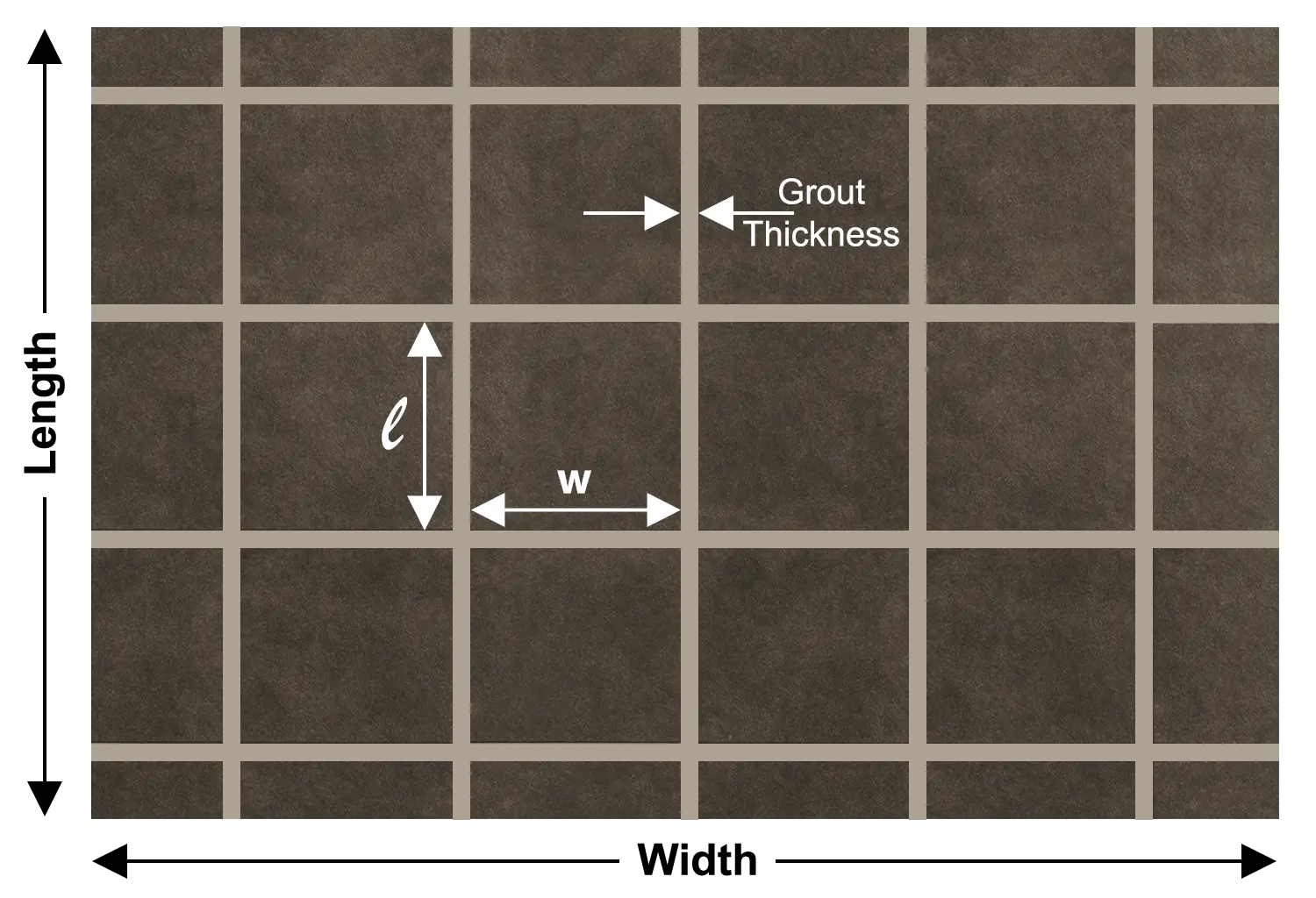
This tile estimator takes your real numbers like room size, tile size, grout gap, even the coverage of your thinnest and grout, and turns them into something useful.
It helps you nail your materials so you’re not short a box or stuck with five extra. It saves time by doing all the boring math in the background, no spreadsheet wrestling required. And it brings cost into focus, showing how much your tiles, grout, and thinnest will roughly add up to before you spend a single dollar.
Less guesswork. Fewer surprises. Much calmer tiling.
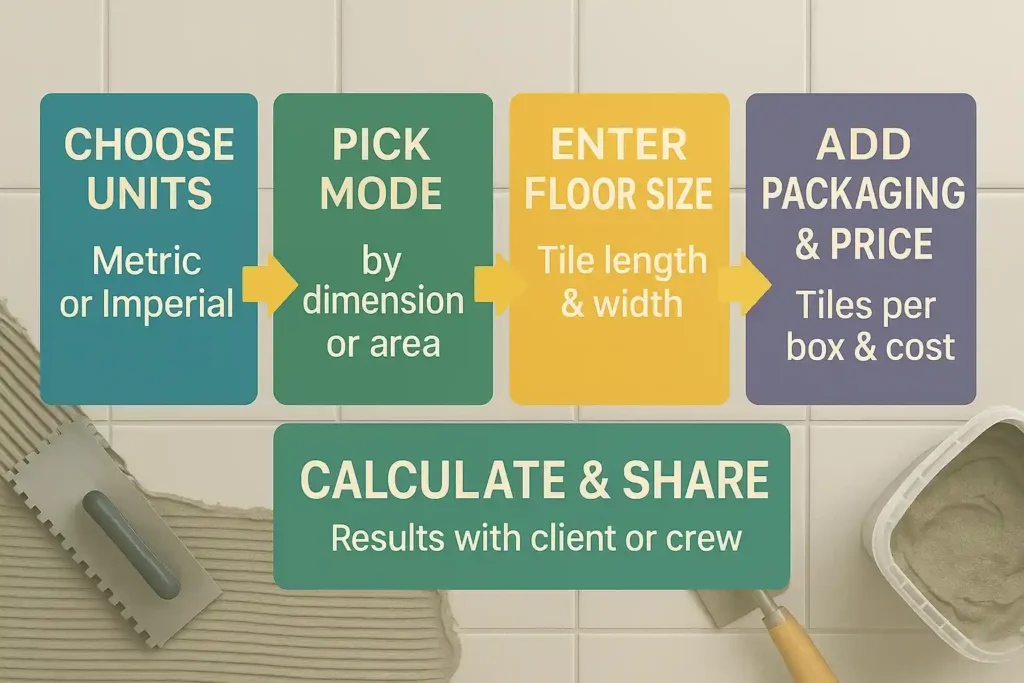
How to use our tile calculator
Steps | What to Do | Details |
|---|---|---|
Choose units | Select Metric or Imperial | All inputs (floor, tile, grout, coverage) should use the same unit system to keep results accurate. |
Pick calculation mode | Choose By dimensions or By area | Use By dimensions if you know floor length & width; use By area if you already know the total area to be tiled. |
Enter floor & tile sizes | Fill in floor and tile dimensions | Add floor length/width, tile length/width, and the grout gap between tiles. Set a wastage % to allow for cutting and breakage. |
Add tile packaging & price | Enter tiles per box and cost | Type how many tiles per box and the cost per tile or per box so the calculator can estimate required boxes and tile cost. |
Include grout & thinset | Turn on material calculation and enter coverage | Enable binder/grout calculation, then add coverage per grout bottle and thinset bag, plus their prices. Click Calculate to see quantities and total estimated material cost. |
Calculation Logic: Thin-set vs. Grout
Thin-set (or thin-set mortar) and grout sit right next to each other on the shelf, but in the calculator they’re treated very differently. And there’s a good reason for that.
Thinset is all About Area
It lives underneath the tiles, as one continuous bed. So the calculator mainly looks at how big your tiled surface is and how much coverage one bag of thinset gives you. You tell it the coverage (for example, one bag covers 80 sq. ft.), and it simply divides your total tiled area by that number, then adds your wastage on top. Big tiles, small tiles, weird layout thin-set doesn’t really care. The square footage is what matters most.
Grout is all About the Gaps
Grout sits only in the lines between tiles, so the calculator has to “think” in terms of length and depth of joints, not just surface area. It considers your tile size, the gap (grout joint) you entered, and the overall area. From that it works out the total length of grout lines and uses your coverage value to estimate how much grout you’ll need.
Grout Consumption Comparison
We understand this with an example:
Imagine a small area, say a kitchen floor, imagine it was tiled with old small 4″ x 4″ tiles, and then the same area re-tiled with larger 24″ x 24″ tiles.
With small 4″ inches, you have a grid with multiple small boxes of tiles. That means a lot of vertical and horizontal joints. Line after line after line. All that space needs to be filled with grout.
Now change the tile size to 24″ x 24″ and you have very few tiles covering the same area. Far fewer joints. Much shorter total grout line length.
Same wall. Same square footage. Completely different grout demand.
That’s why the calculator doesn’t just look at area for grout. It looks at tile size and joint width too, so the numbers you see actually match what happens in the real world, not just on paper.
Essential User Inputs Explained
I’ve been laying tiles in kitchens, baths, living rooms and patios for about twenty years now. The jobs that go smooth always start with the right numbers. That’s what this calculator is asking you for. Remember this tool is all in one, its not only your backsplash calculator but also your shower tile calculator buddy. So let’s dig deep to understand it.
First thing: Units.
Pick metric or imperial and stay with it. Mixing inches with centimeters is how you end up one box short on a Friday afternoon.
Next is your floor or wall size. You can give the length and width, or just the total area if you already know it. This tells the calculator how big the job really is.
Now, the part most people underestimate: tile sizes and grout joint. You’ll enter the tiles measurement, plus the gap between tiles. Small tiles with tight joints mean a lot more grout lines. Big tiles with wider joints look different, move different, and they change how much grout and thinset you burn through. The calculator uses these numbers to work out how many tiles you’ll actually lay, not just how many look nice on paper.
Then you’ve got coverage for thinset and grout. This isn’t a guess check the bag or bottle. One thin-set might say it covers 80 ft² with a certain trowel size, another 60 ft². Same story with grout. You punch in what your product claims, and the tool adjusts to that, instead of using some random average.
Last bit: cost and wastage.
Enter what you pay per bag or bottle and add a small waste % for cuts, chips, and “oops” moments. It’s the difference between a tidy finish and an extra run to the store with half the job done.
Material Deep Dive: Which Grout to Buy?
So our floor tile calculator tells you how many kilos or pounds of grout you need. Good start.
Now you still have to pick the right bag from a whole wall of them, and that is where a lot of people freeze.
When I choose grout on a job, I look at three things. How wide the joints are? what kind of tile I am pushing it against?, and how much water or dirt that surface will see in real life?. A kitchen floor, a marble shower wall, and a cafe counter all ask for different grout, even if the color looks the same on the chart.
For regular ceramic or porcelain tiles with joints that are not tiny and not huge, sanded grout is usually the everyday choice. It has grit inside, feels a bit rough in the hand, and it handles traffic and movement better.
If I am working with polished marble, glass mosaics, or very narrow joints, I reach for unsanded grout. There is no grit to scratch the tile surface, and it squeezes into tight gaps nicely, as long as the joint is not too wide.
Epoxy grout is a different animal. It is more expensive and you must work a bit faster with it, but it repays you with serious resistance to stains, chemicals, and water. Showers, commercial kitchens, busy counters, that kind of thing.
Here is a quick summary you can follow after the calculator gives you a number.

Wider joints, most floors and walls, standard ceramic/porcelain
Can scratch soft or polished tiles; not ideal for very narrow joints

Narrow joints, glass, marble, delicate surfaces
Not great for wide joints; may crack or shrink if gaps are too big

Wet areas, heavy use, stain-prone spots (showers, counters, commercial)
Higher cost, faster setup time, needs careful mixing and cleanup