
Asphalt Calculator
More Free Tools You Might Find Helpful





More Free Tools You Might Find Helpful
Bricklaying Costs 2026: The Complete Price Guide for Materials & Labour
Introduction: The 2026 Price Landscape After a rough few years on the tools, things have finally calmed down a bit…The Ultimate UK Guide to Spalling Bricks and How to Fix Them
The Ugly Truth About Blown Bricks I have spent well over 14 years on building sites across the UK and…Popular Brick Bonds: Choosing Between Stretcher, Flemish, and English Bonds
Introduction When you’re standing on site, a brick wall is never just a pile of clay stacked up. It’s a…






Introduction
Getting asphalt quantities wrong can mean wasted money, overloaded trucks, or a half-finished job. This asphalt calculator is built to take the guesswork out of all that.
Enter the area you’re paving, the asphalt thickness, your mix type, and a realistic waste allowance. In a few seconds you get three things that really matter on site: precise volume, total asphalt weight for planning truck loads and deliveries, and a clear estimated material cost.
Use it to sanity-check quotes, compare different thickness options, or see how changing an area affects your budget before anyone orders a single ton. It’s a quick, practical way to keep both logistics and costs under control on any paving project.
How to Use Asphalt Calculator
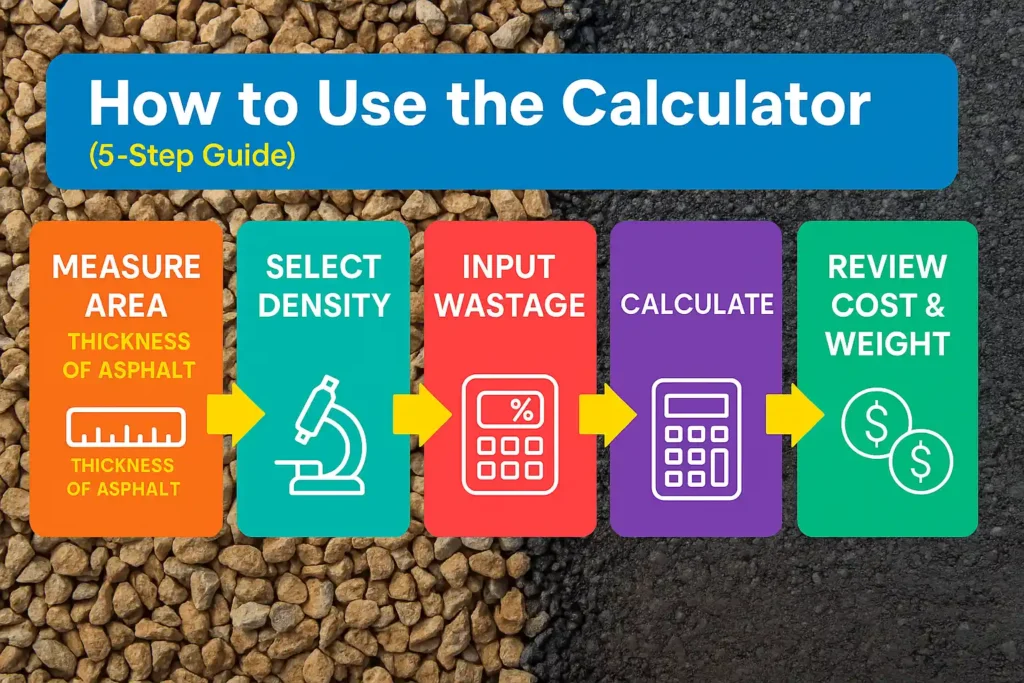
Steps | What to do |
1. Choose units | Start by selecting the Unit system so everything stays consistent. Pick the option you actually use on site (feet/yards or meters). This keeps area, thickness, and output in the same language for clear, accurate results. |
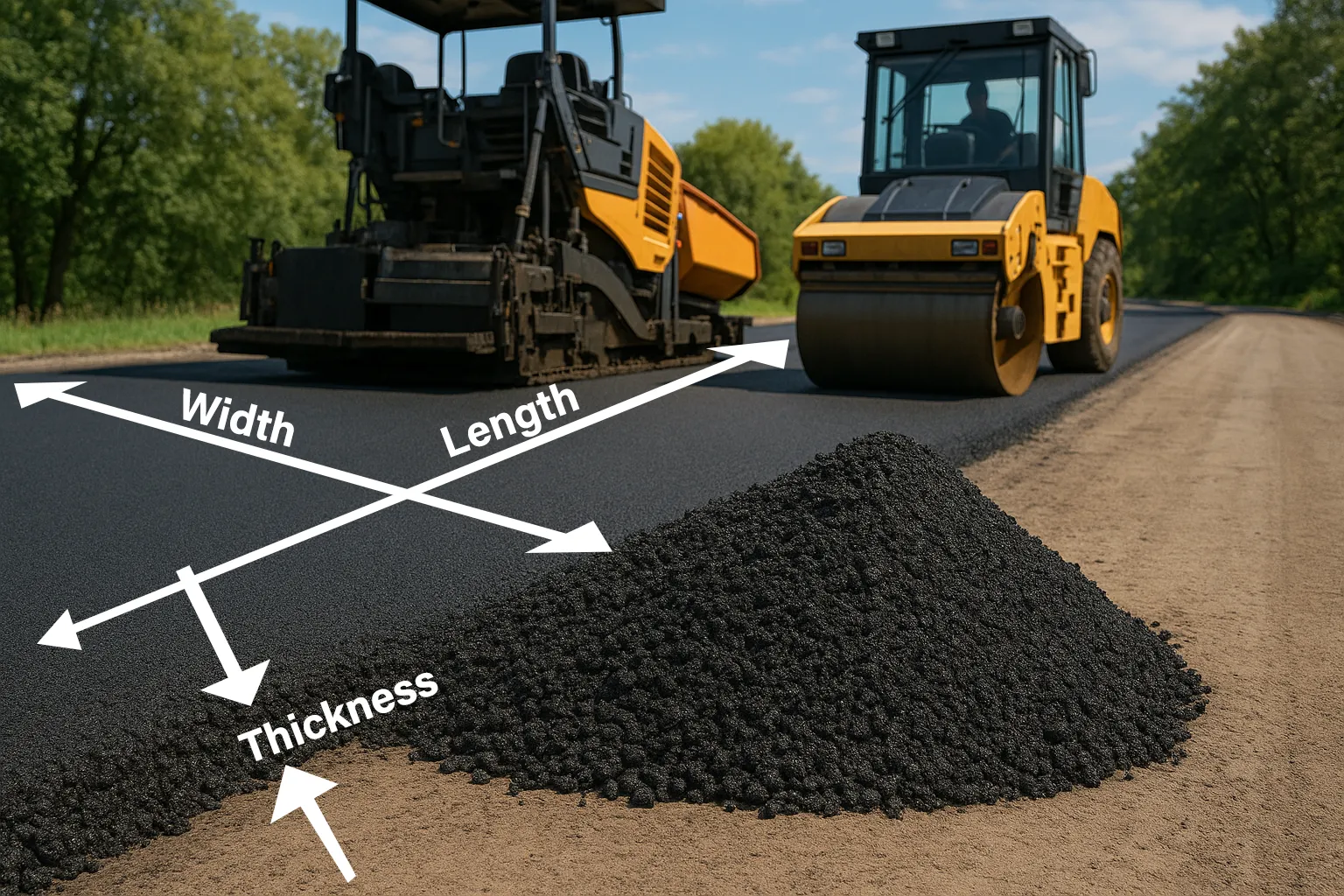
2. Enter area | Measure the section you’re paving and type the numbers into Length and Width. For awkward shapes, use average dimensions or split the job into simple rectangles and run the calculator for each part to keep the estimate realistic. |
3. Set asphalt thickness | Enter the finished layer Thickness. This field has a big impact: small changes here can swing total volume and weight, which affects truck loads, schedule, and overall cost. Take a moment to match what you actually plan to lay. |
4. Adjust density, wastage, and cost | Choose the Density that fits your mix, then add a sensible Wastage (%) to cover edges, joints, and normal site losses. If you know your rate, fill in Cost per unit so the calculator can turn volume into money. |
5. Calculate and review | Click Calculate and review the volume, total weight (for logistics and trucks), and estimated material cost. Tweak any field, hit Calculate again, and use the updated numbers to tighten both planning and budget control. |